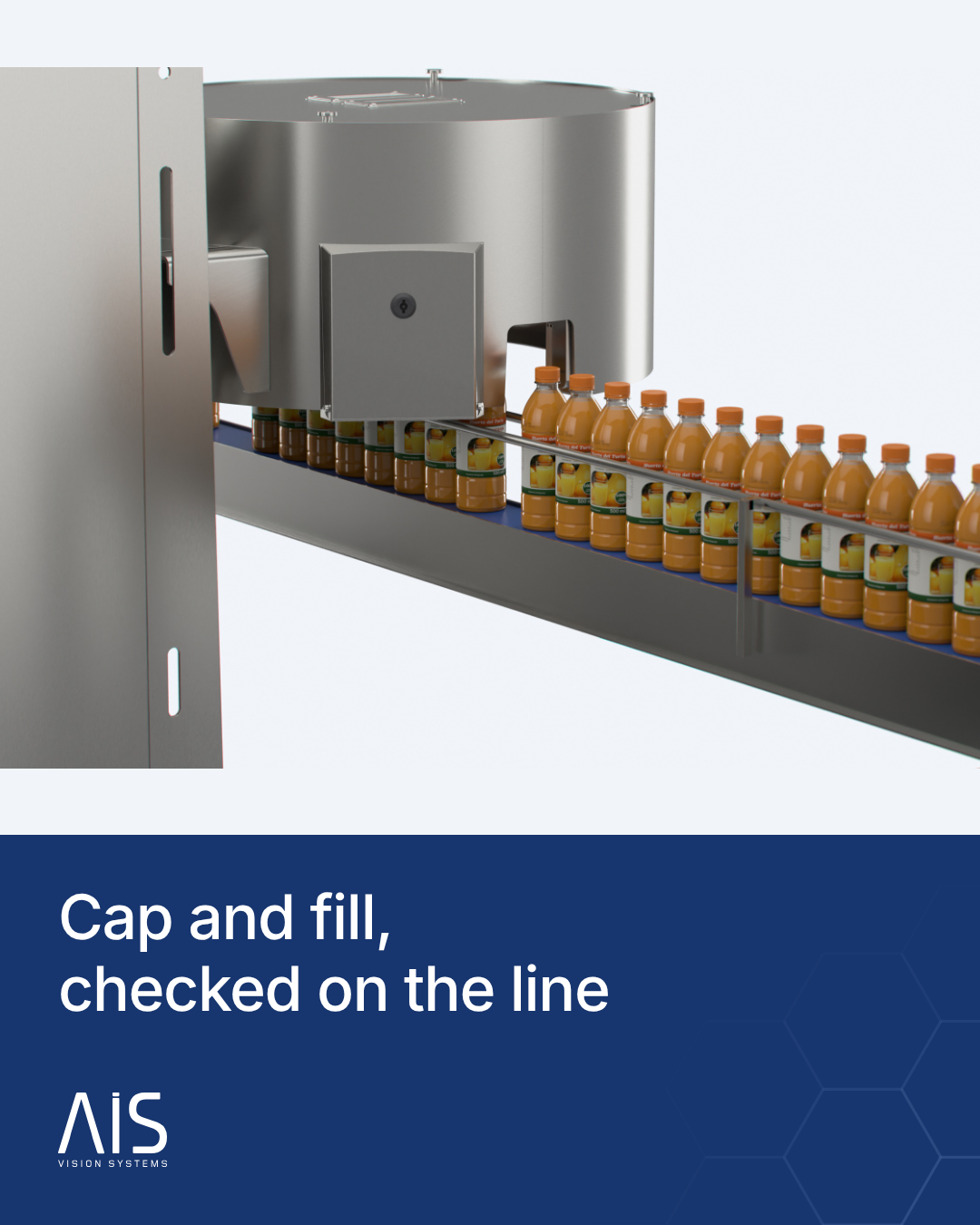
 123
Build posts and carousels from the approved kit and one clear message.
How a post is built
- The machine image fills the image band and shows the product named in the post.
- One sentence-case headline sits on solid brand blue, without a subtitle.
- The small white logo signs the foot. The hexagon pattern occupies the corner left free by the words.
Formats
| Piece | Size | Notes |
|---|---|---|
| Post | 1080 × 1350 px (4:5) | The default: it fills the feed on a phone |
| Square post | 1080 × 1080 px (1:1) | When a network or a partner asks for it; the photo band gets smaller |
| Link post | 1200 × 628 px (1.91:1) | Only when the post links out; the picture leads, the headline is shorter |
| Carousel | 1080 × 1350 px, 3 to 10 slides, as a PDF | Cover white or blue, content slides on white, closing on brand blue |
| Video | 9:16, 4:5, 1:1 and 16:9 | The seven types in Video |
Post and carousel types
Every post and carousel in the Marketing kit is one of these types. Anything else needs a brief first.
 Practical guideInputs, scenarios and simple payback before investing.ViewDownload
 Sector carouselInspection on a canning line, from the double seam to traceability.ViewDownload
 Product carouselThe machine, the context, what it inspects, and a samples invitation.ViewDownload
 Product postWhite or blue: the machine whole on white, or at work on a real line, with a solid blue panel under it; what it does as the headline.ViewDownload
 Detection postWhite: one defect, framed where the system finds it.ViewDownload
 What it inspectsBlue: each part the system checks, named where it is.ViewDownload
 Reading postWhite: the real screen, whole, with the code or date the system reads.ViewDownload
 Software in useBlue: Rosepetal on a real line; what it measures as the headline.ViewDownload
 Company newsBlue: the people who came, one headline.ViewDownload
 Event recapBlue: the real moment; the topic as the headline.ViewDownload
 QuoteBrand blue: the exact words, large, with name and role on one line.ViewDownload
 ResultBrand blue: one published figure, with its source in one line.ViewDownload
 ComparisonWhite: a good and a bad example of the same thing, marked OK and NOK.ViewDownload
 Partner carouselA white cover with the partner’s product, what it solves and what it checks on white, and a brand-blue close.ViewDownload
 Defects carouselA white cover, one defect per white slide beside a good one, and a brand-blue close with one call to action.ViewDownload


Do and do not
Do
- Lead with the real photograph
- Write the headline as the one thing the reader should remember
- Show a figure only with its basis, conditions and source
- Ask for consent from every identifiable person and approval from every customer site
- Publish the event announcement once, and the recap within a week
Do not
- A generated image that fails at its final size: invented text, impossible geometry, a machine that is not the one named
- Particle waves, glows, holograms or gradients
- Headlines in capitals, typed arrows, emoji or several accent colours
- Ten claims on one image, or claims the picture does not show
- The logo as the largest thing on the post
How to make one
Ask Claude with the AIS Group Design plugin (AI agents), giving it the photograph and the message. It starts from the template closest to the message and runs the check. It refuses rejected images, wrong names, forbidden claims and calls to action outside the approved list. Before publishing, look at the post at feed size, about 550 px wide: the headline and the proof must read there.